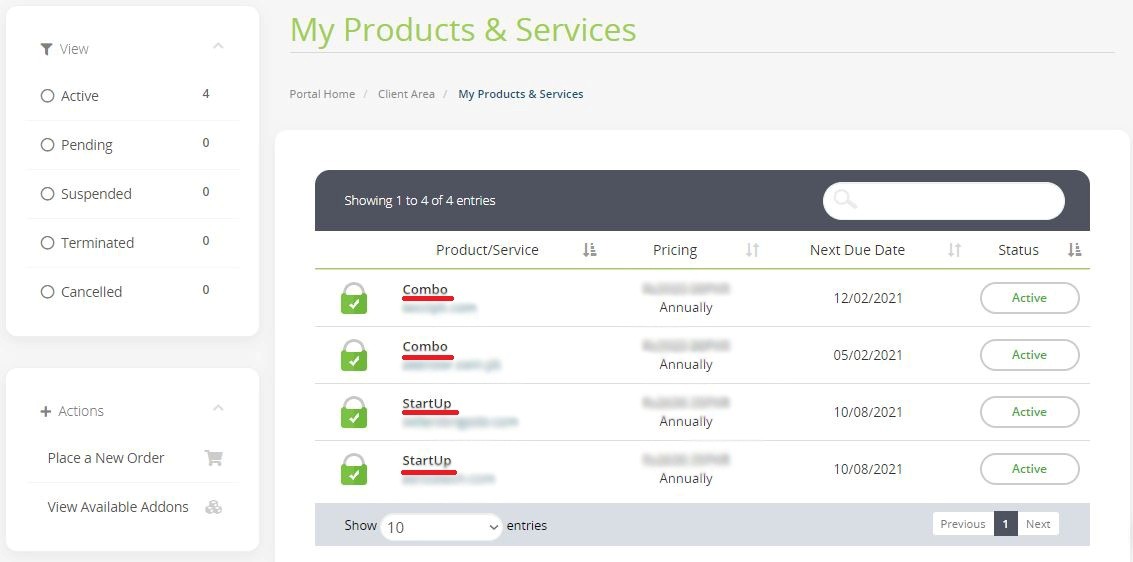
You can observe the status of your currently active services purchased from OBHost through your client portal.
Step-1:
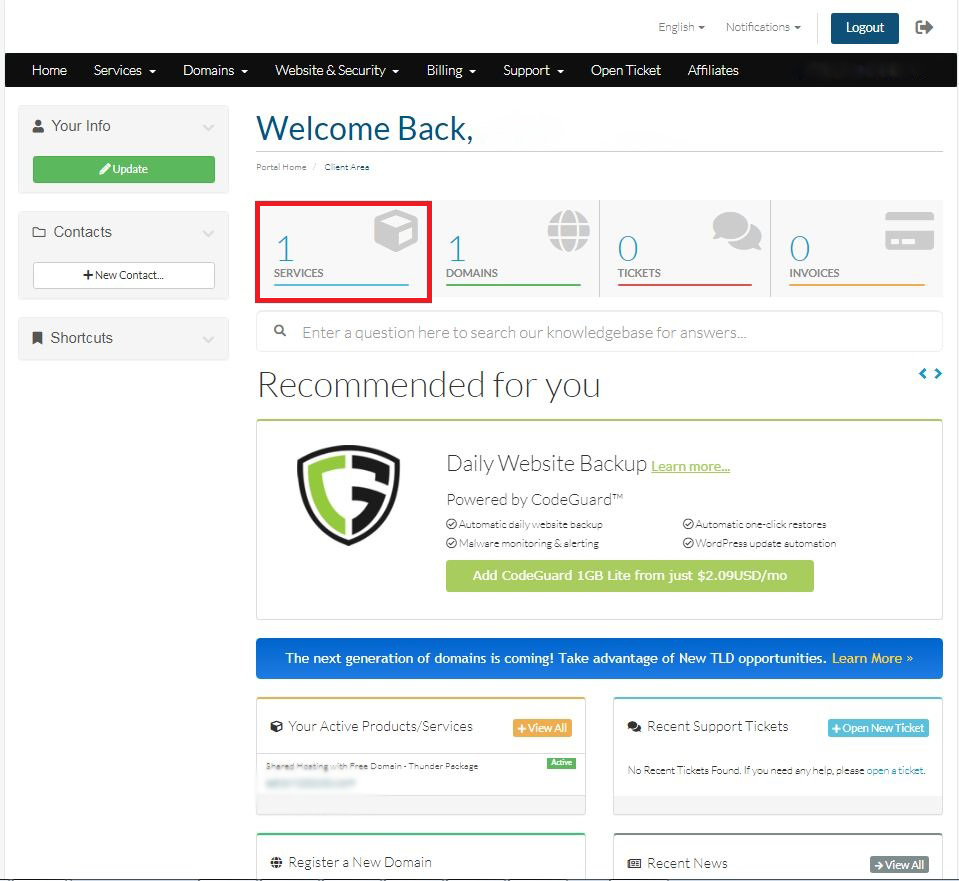
Login to your Hosting Walay client portal and click on the services option as displayed by the red box below.
Step-2:
After that you will observe your registered hosting services you have own and which is currently active in your account.